When an adapter session fails, confirm that the car, adapter, and site are an approved combination. The vehicle and charging-network apps should guide your next move.
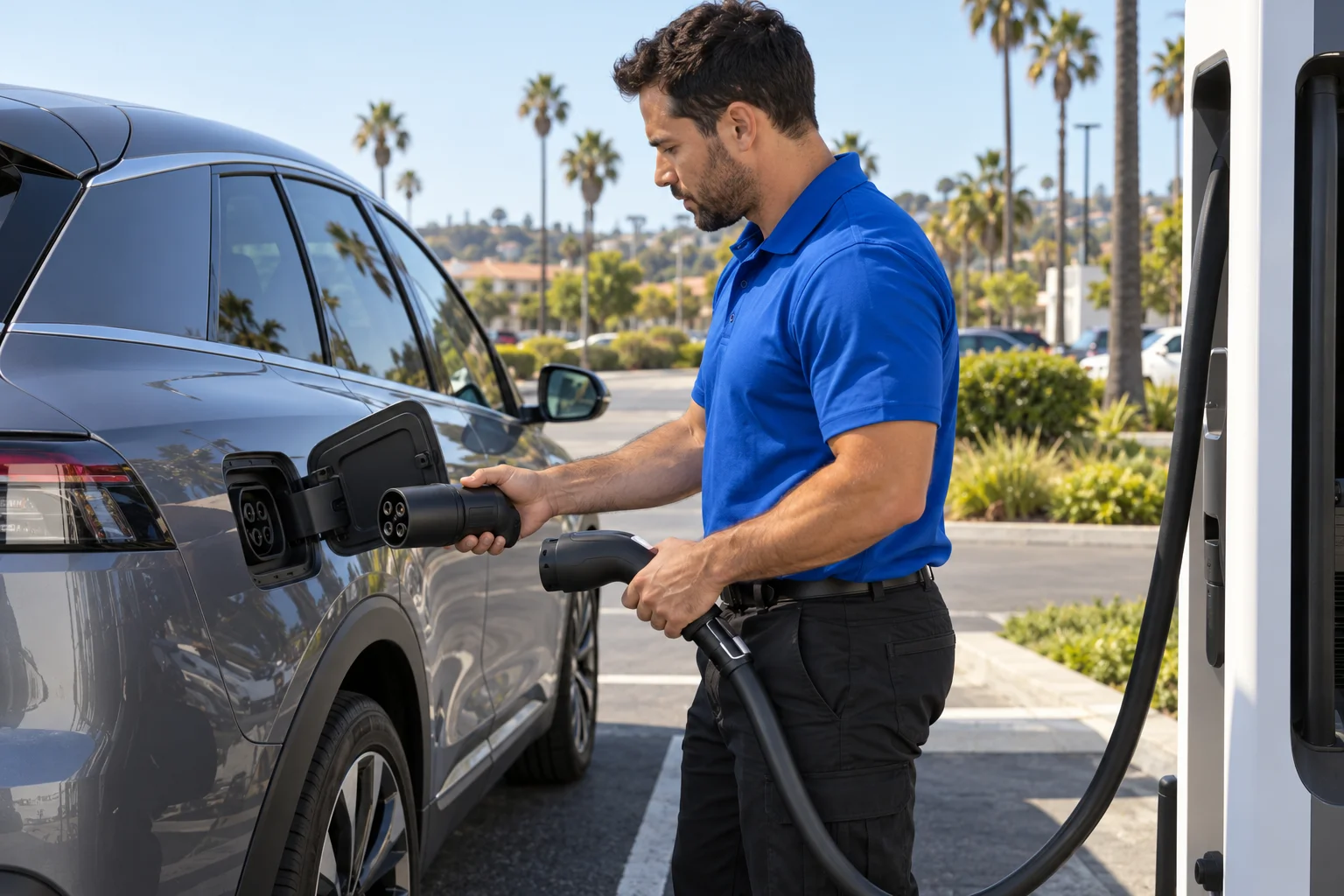
Confirm the car and charging site support each other
A NACS connector fitting into an adapter doesn’t confirm compatibility. Support can depend on the exact vehicle, adapter, charging network, and site. A charger appearing on a map also doesn’t prove your car can start a session there.
No universal compatibility rule for every non-Tesla model could be confirmed from this page’s approved sources. Check three places before troubleshooting the hardware:
- Open the vehicle manufacturer’s app and find its charging guidance.
- Check the charging network’s app for that exact location.
- Read the charging section of the vehicle owner’s manual.
Match the model, model year, adapter, and station location. Don’t rely on a social post about a similar car. Compatibility for one model doesn’t establish support for another.
Orange County’s charging landscape makes this check especially important. The county had 1,475 public DC fast ports as of December 31, 2025, according to the California Energy Commission. Tesla accounted for 861 public DC fast ports across 48 Orange County sites. Yet those totals don’t tell you which non-Tesla vehicles can use each location.
Site equipment also varies. For example, the Lake Forest station at 24372 Rockfield Boulevard has Magic Dock equipment with CCS1 and NACS connections. That verified feature applies to that site. It doesn’t establish access at another station.
If the apps don’t clearly confirm support, treat compatibility as unconfirmed. Look for a station that your vehicle’s own app identifies. Our guide to finding a NACS charger or help at the car explains the broader choice without assuming every NACS location will work.
Check the adapter approval in the automaker’s guidance
The adapter is part of the compatibility check. Its plug shape alone isn’t enough. Confirm that your automaker approves the exact adapter for your exact vehicle.
Start with the adapter itself. Find its manufacturer name and model information without opening or altering it. Compare those details with the vehicle manufacturer’s current instructions. Also check whether the automaker requires a particular software version, enrollment step, or charging process.
Those requirements couldn’t be confirmed universally across Ford, Hyundai, Kia, Rivian, GM, or other vehicles from the approved claims ledger. They can differ by vehicle and may change. Your owner’s manual, vehicle app, and automaker support material are the proper sources.
Don’t substitute a third-party adapter merely because it fits. No blanket approval for aftermarket adapters appears in the approved sources for this page. If the automaker doesn’t document that adapter, its suitability remains unconfirmed.
If you borrowed the adapter, confirm its identity before connecting it. Packaging, online listings, and visual similarity aren’t substitutes for manufacturer guidance. No approved procedure for altering an adapter or adding connector pieces could be confirmed for this page.
Keep the troubleshooting narrow. You’re checking whether the automaker recognizes the adapter, not trying to repair it in the parking lot. If approval is clear, move to the account and session checks. If approval remains unclear, choose a charging option shown inside the vehicle’s official tools.
A stranded driver with too little range to reach another confirmed station may need non-Tesla EV rescue. Charge Pro OC connects drivers with licensed, independent local operators. The matched operator performs the physical work and quotes the driver directly.
Separate account trouble from a connector failure
A failed charging session can present several clues. Record what you see before unplugging. Note the vehicle message, charger-screen message, app status, stall number, and whether the session appeared in the account.
Don’t interpret a generic error as proof of broken hardware. First check whether the network app recognizes the location and your selected stall. Review the account for any prompt requiring your attention. If the app offers official support for that station, use its instructions.
Next, compare what each system reports:
- If the network app won’t offer a session at that site, recheck eligibility.
- If the app starts a session but the vehicle rejects it, save both messages.
- If the charger identifies a connector problem, save that message and follow the network’s instructions.
- If the screen or app gives no useful detail, record that too.
These observations don’t diagnose the car. They give the automaker, charging network, or rescue operator clearer information. Avoid clearing alerts or changing several settings at once. One change at a time makes the result easier to understand.
If the network app shows another available stall, check the vehicle’s official guidance before repositioning. This page’s approved sources don’t provide a vehicle-movement rule or a minimum range for changing stalls.
A successful session at another approved stall points back toward the first stall or connector. Another failure still doesn’t prove the adapter or vehicle is defective. Save the messages and contact the appropriate support source.
For errors that occur without an adapter, see our guide to a public charger connected but not charging. That page covers general session failures. This page stays focused on the added compatibility decision created by an adapter.
When the inlet, cable or adapter looks damaged
The approved claims ledger doesn’t provide inspection limits for a vehicle inlet, charging cable, connector, or adapter. It also doesn’t provide instructions for joining parts that don’t align or addressing a loose, contaminated, or deformed connection.
Use available lighting and look at the exterior surfaces. Record what you see for the automaker, charging network, or adapter manufacturer.
Details to record include:
- A cracked, bent, melted, or misshapen part
- A connector that doesn’t align
- A loose component or exposed internal material
- Moisture, debris, or residue where the connection is made
- An unusual odor, heat, smoke, or repeated warning
The approved claims ledger doesn’t provide a do-it-yourself cleaning or repair procedure for NACS adapters. Because no such procedure is confirmed, follow the automaker’s and adapter manufacturer’s written instructions.
If official support requests photographs, include the equipment and any visible stall identifier. Keep account details, vehicle identification information, and charging credentials out of shared images.
If the vehicle inlet appears affected, follow the vehicle manufacturer’s instructions. Charge Pro OC doesn’t inspect or repair adapters. We refer drivers to independent operators based on the situation they describe.
Choose another stall or request roadside help
Before choosing another stall, confirm compatibility through the vehicle manufacturer or charging network. Use a location listed for your exact car. Then follow the official connection and account sequence.
Orange County has many charging sites, but the practical choices change by area. Anaheim has seven Tesla Supercharger sites, while Irvine has six. South County locations are spread between communities such as Lake Forest, Laguna Hills, Mission Viejo, San Juan Capistrano, and San Clemente.
Canyon communities have fewer nearby Supercharger options. The nearest listed Supercharger is 7.3 straight-line miles from Trabuco Canyon’s place centroid and 9.0 miles from Silverado’s. Those are geographic measurements, not driving distances. The approved claims ledger provides no minimum range for attempting either trip.
If your battery is nearly empty, the approved claims ledger provides no safe repositioning threshold. Decide among three paths:
- Use another confirmed compatible stall at the same property.
- Check the vehicle’s official guidance before trying another vehicle-approved charger.
- Request roadside assistance when neither move is practical.
Tell the roadside provider that you have a non-Tesla EV, a failed NACS adapter session, and your current battery status. Share the vehicle model, location, parking access, and displayed warnings. Mention any visible connector or inlet damage.
A mobile operator may be appropriate when the main problem is insufficient energy. The approved rescue figure is 10 to 20 miles of range during 15 to 30 minutes of Level 2 charging. That describes charging time, not arrival time. The operator determines whether mobile charging fits the vehicle and location.
Some situations instead require transport or manufacturer support. If you’re unsure which applies, our emergency EV roadside assistance page explains the referral option. Charge Pro OC sets no price, promises no arrival time, and gives no warranty. The independent operator provides the quote, performs the work, and bills you directly.
When to call us
Call when an approved adapter session still fails and the vehicle’s official guidance doesn’t support trying another confirmed charger. A local operator can assess whether mobile energy or another roadside option fits the situation.
Call us at (949) 444-0151 and we’ll connect you with a local EV rescue operator.